Branded booking links
Publish your own service menu, prices, durations, colors and logo. Customers can choose an available service and provider directly from your website or a shared link.
Finn360™ platform
Native online scheduling built into Finn360™ — not a link to a third-party booking service.
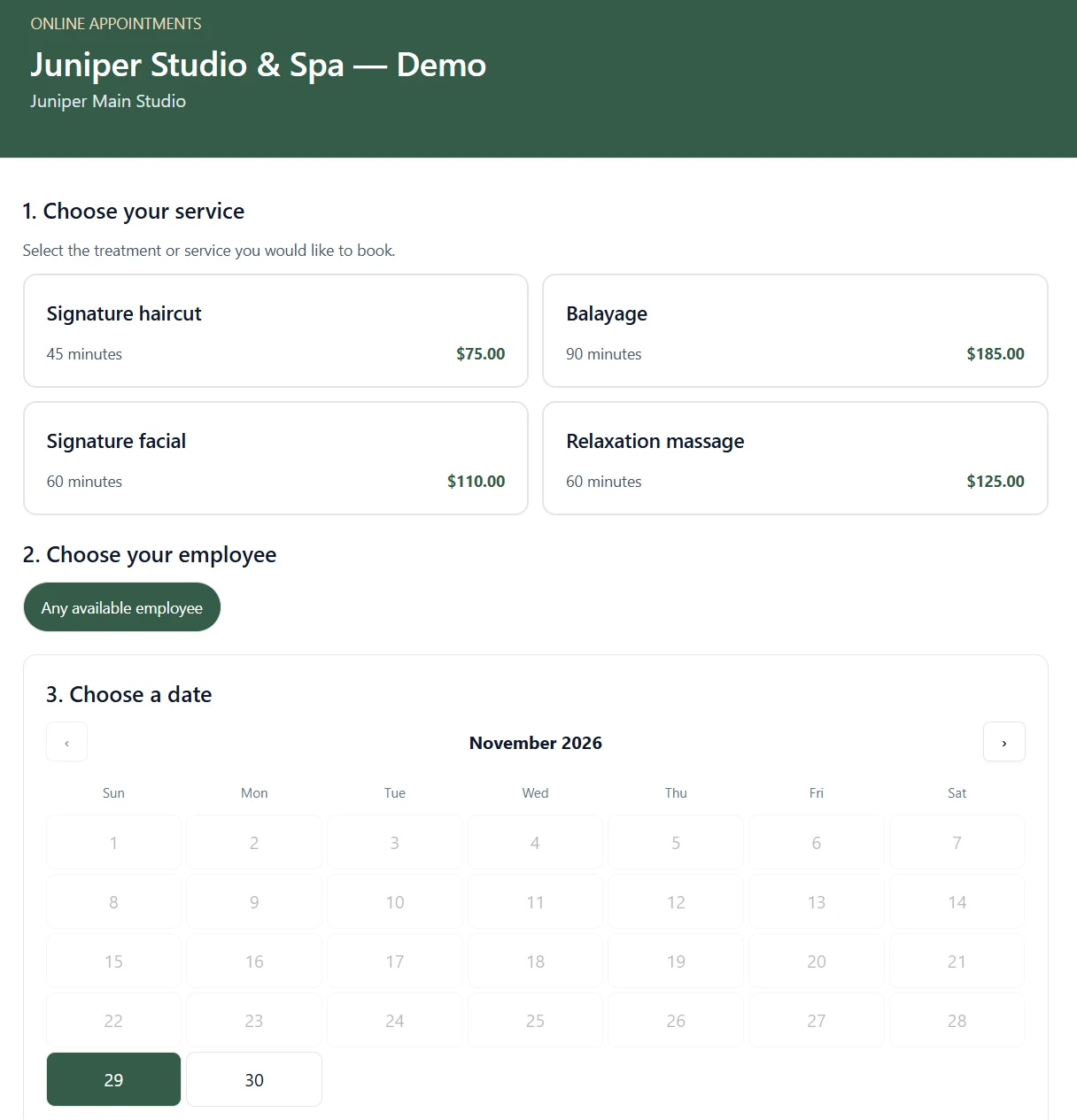
Try it yourself
Give customers a booking page with your own logo, services and staff. Try this interactive example of a native Finn360™ booking.
+ Enlarge previewChoose a service and time, then confirm your sample booking.
Interactive illustration only. No real appointment is created, no personal information is collected, and no message is sent.
Capabilities that make a difference
Your branded booking page and staff calendar work within Finn360™, eliminating the need for a disconnected appointment service.
Publish your own service menu, prices, durations, colors and logo. Customers can choose an available service and provider directly from your website or a shared link.
Coordinate individual provider hours, service assignments and appointments in one calendar. Reduce scheduling conflicts and time spent checking availability.
Configure holidays, closures, protected calendar time and before/after appointment buffers. Preserve time for preparation, travel and administrative work.
Support recurring appointments and customer rescheduling or cancellation under your configured policies. Make regular visits easier to organize.
Configure confirmation and reminder preferences with customer consent and supported delivery connections. Reduce routine reminder calls and missed appointments.
With a configured FinnPhone™ integration, supported calls can use the same appointment workflow. Capture booking opportunities while staff are serving customers.
Questions answered
Yes. Share your native Finn360™ booking link on your website, social profiles or directly with customers. Supported FinnPhone™ workflows can also handle phone bookings.
Yes. Configure your business logo, colors, services and available providers so the booking experience reflects your brand.
Set service availability, employee schedules, closed periods and holiday exceptions.
Finn360™ supports repeat appointments, helping you organize ongoing services without rebuilding each appointment manually.
Ask us to demonstrate the customer-facing modification options available for your booking configuration.
Ask us to confirm the reminder channels and automation available for your setup before launch.
See your own workflow in Finn360. Talk with FinnPay about the right setup.