Capture service requests
Use customer records and appointments to keep the address, contact and next action together. The FinnPhone™ bundle can handle incoming calls and capture messages while crews are busy.
Contractors & home services
Coordinate service calls, crew assignments and customer records from the office or the field.

In your Finn360™ workspace
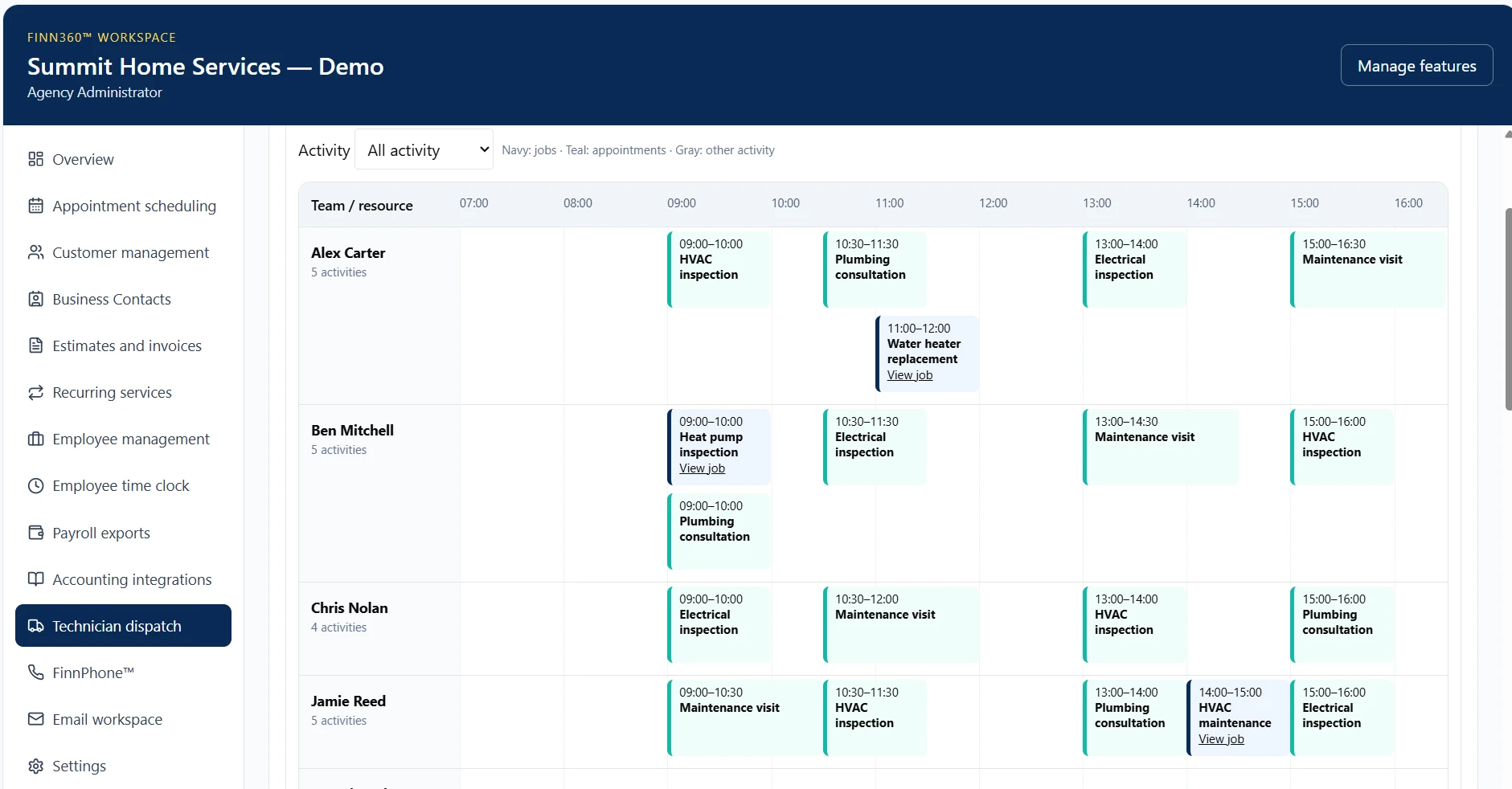
See appointments and crew assignments as the day changes.
Keep the customer, location and assigned team with each job.
Keep the paperwork connected to the work.
 + Enlarge preview
The benefits
Use customer records and appointments to keep the address, contact and next action together. The FinnPhone™ bundle can handle incoming calls and capture messages while crews are busy.
Use the dispatch calendar to see scheduled work, review assignments and catch scheduling conflicts. Keep the crew and job details connected.
Review employee time, corrections and payroll-ready exports as part of your team’s regular process.
Prepare estimates and invoices alongside customer information. Discuss integrated payments with FinnPay if you want customers to pay through a supported setup.
Putting Finn360™ to work
See how to set up the tools and what to watch as your team starts using them.
Record the customer, job address and service type when a request comes in, then assign the crew from the same schedule. Dispatchers spend less time relaying job details and crews can see where they are expected next.
What to track time from inquiry to assignment and the number of schedule changes that need a follow-up call.
Keep open estimates connected to customer records and review them at the start of the week. A consistent follow-up routine helps prevent interested customers from going quiet.
What to track estimates awaiting a response and how many turn into booked jobs.
Set up FinnPhone™ to answer routine calls and capture messages when crews cannot stop work. A callback list gives the office more opportunities to follow up on new jobs.
What to track captured inquiries and how many are reached and booked.
FinnPhone™ can answer routine questions and capture service requests so you can stay focused on the work.
Configure urgent-call transfer rules and message capture for your designated on-call contact.
Use the dispatch calendar and job assignments to coordinate crews and scheduled work.
Keep estimates connected to customer records and follow up on outstanding proposals before opportunities go cold.
Use employee timekeeping and review payroll-ready exports as part of your regular process.
A day in your business
Capture the request, review the service address, assign the job, prepare the estimate and invoice. Configure after-hours call routing for urgent requests.
Answer calls, capture opportunities and route requests while your team is busy.
Explore FinnPhone™ →Your own branded booking experience, with services, staff and availability in Finn360.
Explore Online booking →Keep contact details, activity and correspondence together for better follow-up.
Explore Customer management →Hear FinnPhone™ in action
Hear how the receptionist handles an after-hours inquiry.
Share this demoTell us how you work and what you want to simplify.