Set up recurring customer work
Organize repeat appointments and see which locations are scheduled each day.
Cleaning & recurring services
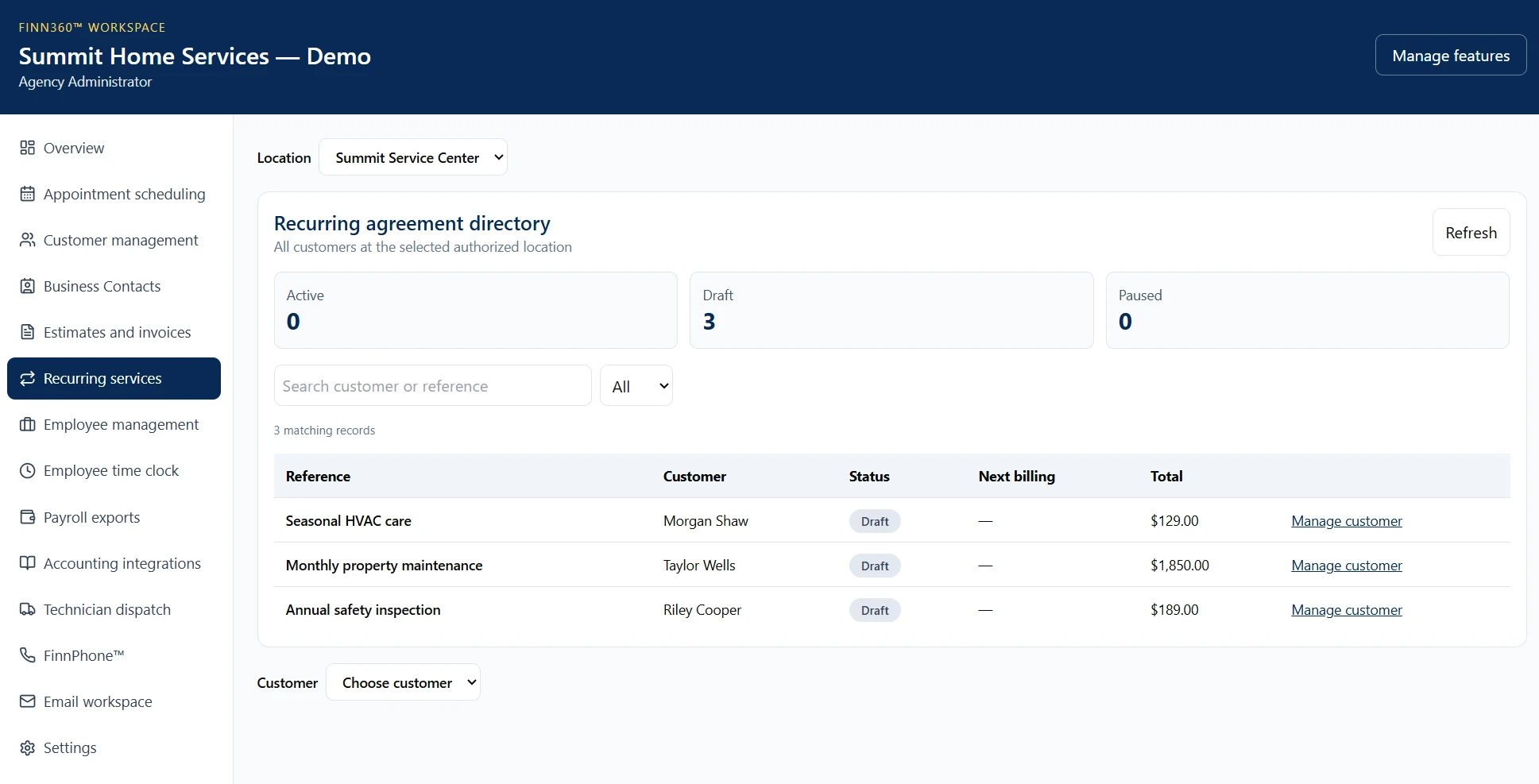
Coordinate recurring visits and crew assignments, then track the time and invoices tied to each service.

In your Finn360™ workspace
Build schedules for work that repeats across customer sites.
See who is assigned and when each crew is due on site.
Review employee time and manage invoices from the same workspace.
 + Enlarge preview
The benefits
Organize repeat appointments and see which locations are scheduled each day.
Keep site details and team assignments together so office staff can see who is scheduled where.
Use employee timekeeping and review workflows to prepare time records for payroll export.
Manage estimates and invoices for customer work. Add FinnPhone™ if you want help answering new service inquiries.
Putting Finn360™ to work
See how to set up the tools and what to watch as your team starts using them.
Enter your service intervals, sites and crew assignments once, then review exceptions each week. This cuts down on re-entering visits and helps teams maintain reliable service as the customer list grows.
What to track time spent assembling weekly schedules and visits that need to be rescheduled.
Have crews record time, then review exceptions before exporting payroll data. An earlier review gives managers more time to resolve discrepancies and understand labor demands across sites.
What to track time corrections and how long the payroll review takes.
Keep quotes and invoices close to customer records. Review unaccepted quotes and work ready to invoice on a regular schedule so opportunities and billing tasks stay visible.
What to track quote-to-job conversion and days from service to invoicing.
Yes. Organize recurring service appointments and review them alongside your other scheduled work.
Use job details and assignments to keep customer locations and crew responsibilities organized.
FinnPhone™ can capture caller information and service needs for follow-up.
Use customer records to retain service context and review upcoming work.
Keep billing activity connected to customer records and discuss integrated payment options with FinnPay.
A day in your business
Capture the inquiry, schedule recurring visits, assign the team and keep time and invoices connected.
Answer calls, capture opportunities and route requests while your team is busy.
Explore FinnPhone™ →Your own branded booking experience, with services, staff and availability in Finn360.
Explore Online booking →Keep contact details, activity and correspondence together for better follow-up.
Explore Customer management →Tell us how you work and what you want to simplify.